Set up Body Statsin a few taps.
Install Body Stats, record your first measurements, and keep your progress private on your phone.
No account · No app store
No BS. Just Body Stats
Choose your phone
Body Stats is a web app. Open it first, then add it to your Home Screen so it works like a regular app.
Follow the five screens below. Swipe sideways on a phone, or tap any image to see it full size.
-
1
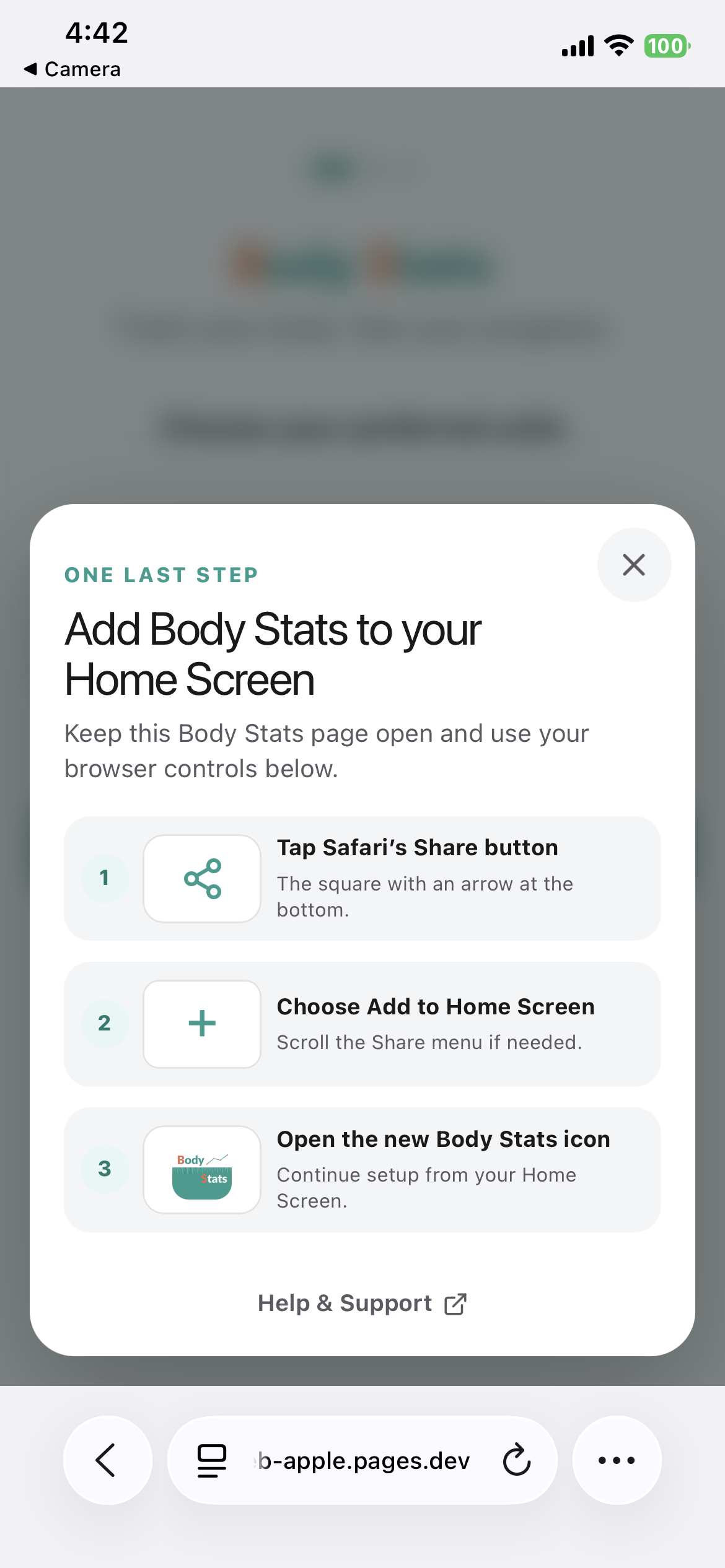
Open Safari’s menu
Keep the Body Stats page open, then tap the circular three-dot button at the bottom right.
Tap the three dots
-
2
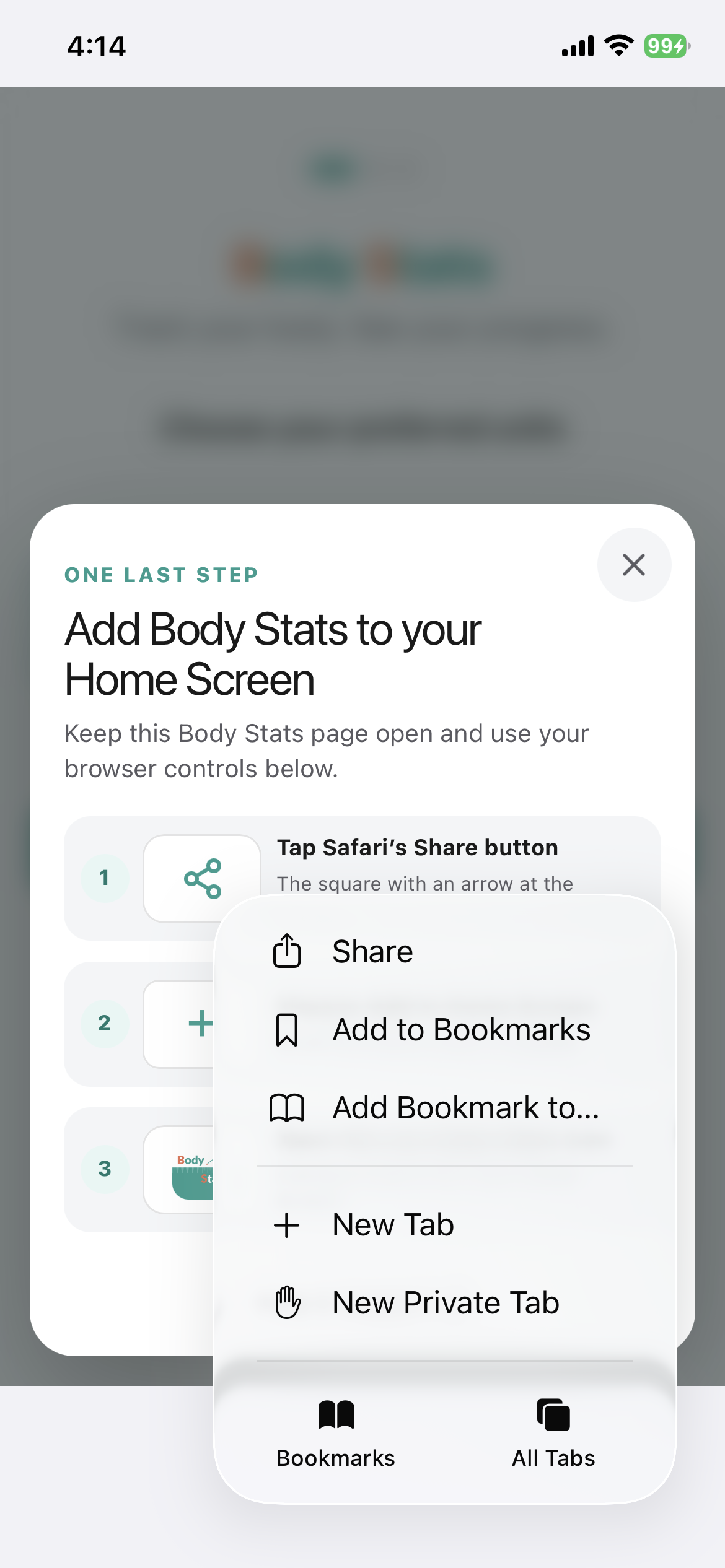
Tap Share
In the menu that opens, choose Share.
Tap Share
-
3
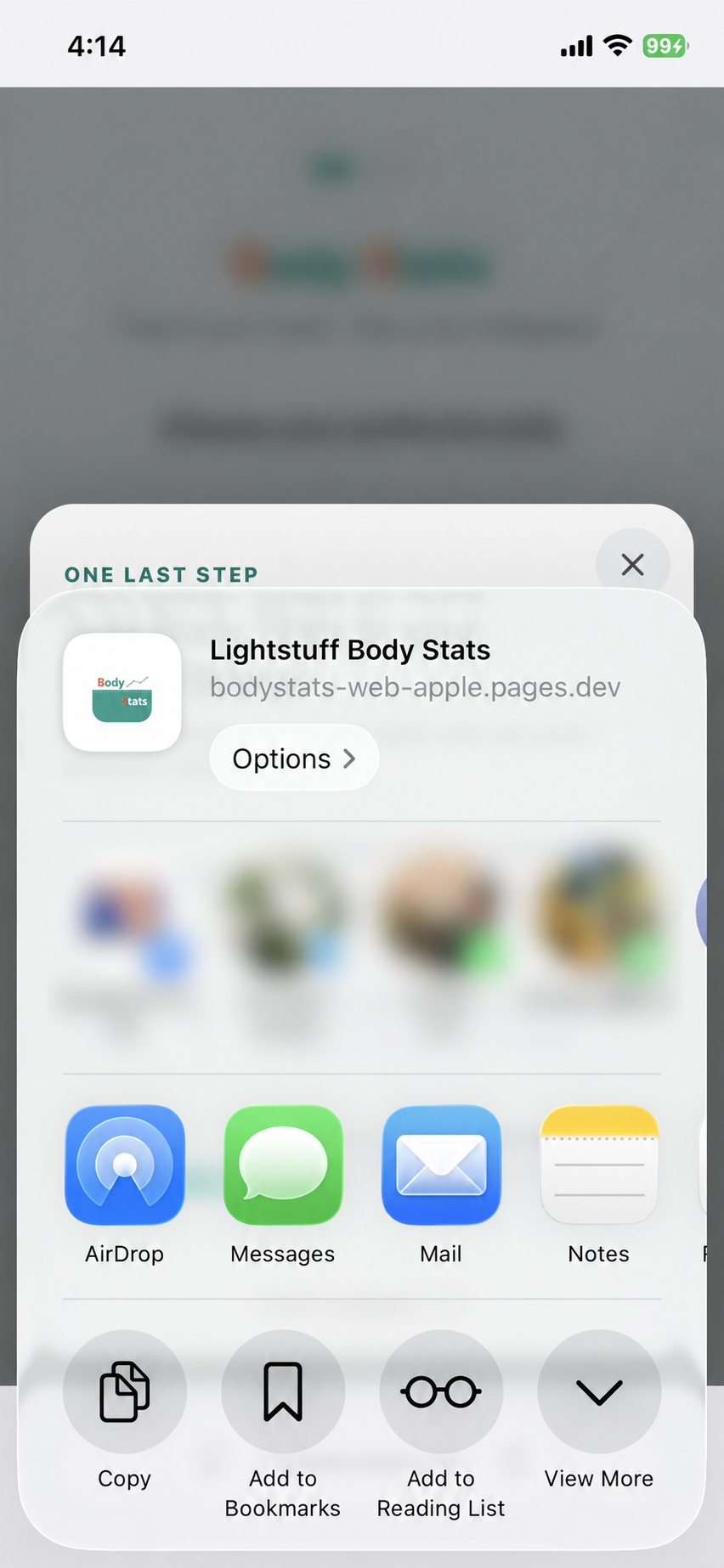
Tap View More
If Safari shows the shorter share sheet, tap View More to reveal all available actions.
Tap View More
-
4
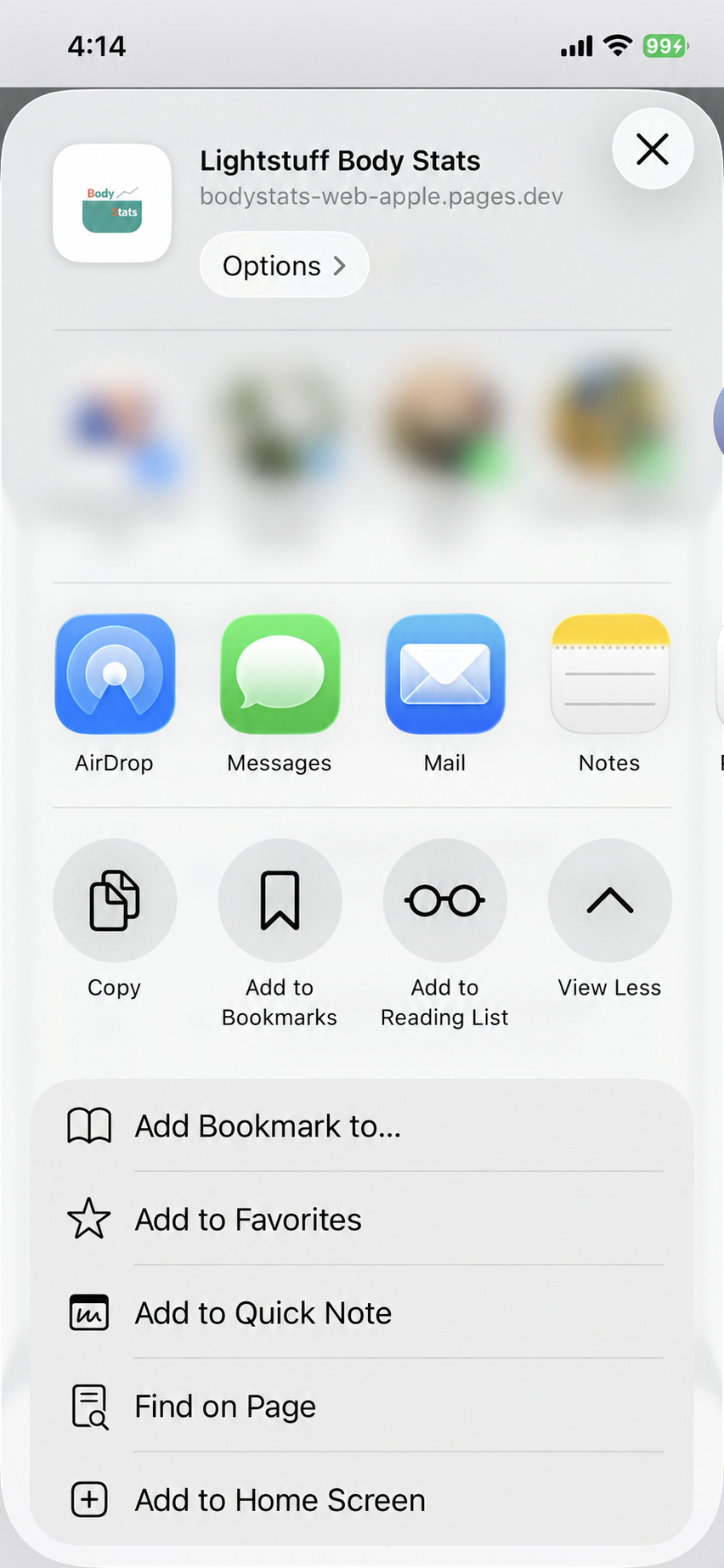
Tap Add to Home Screen
In the expanded list, choose Add to Home Screen.
Tap Add to Home Screen
-
5
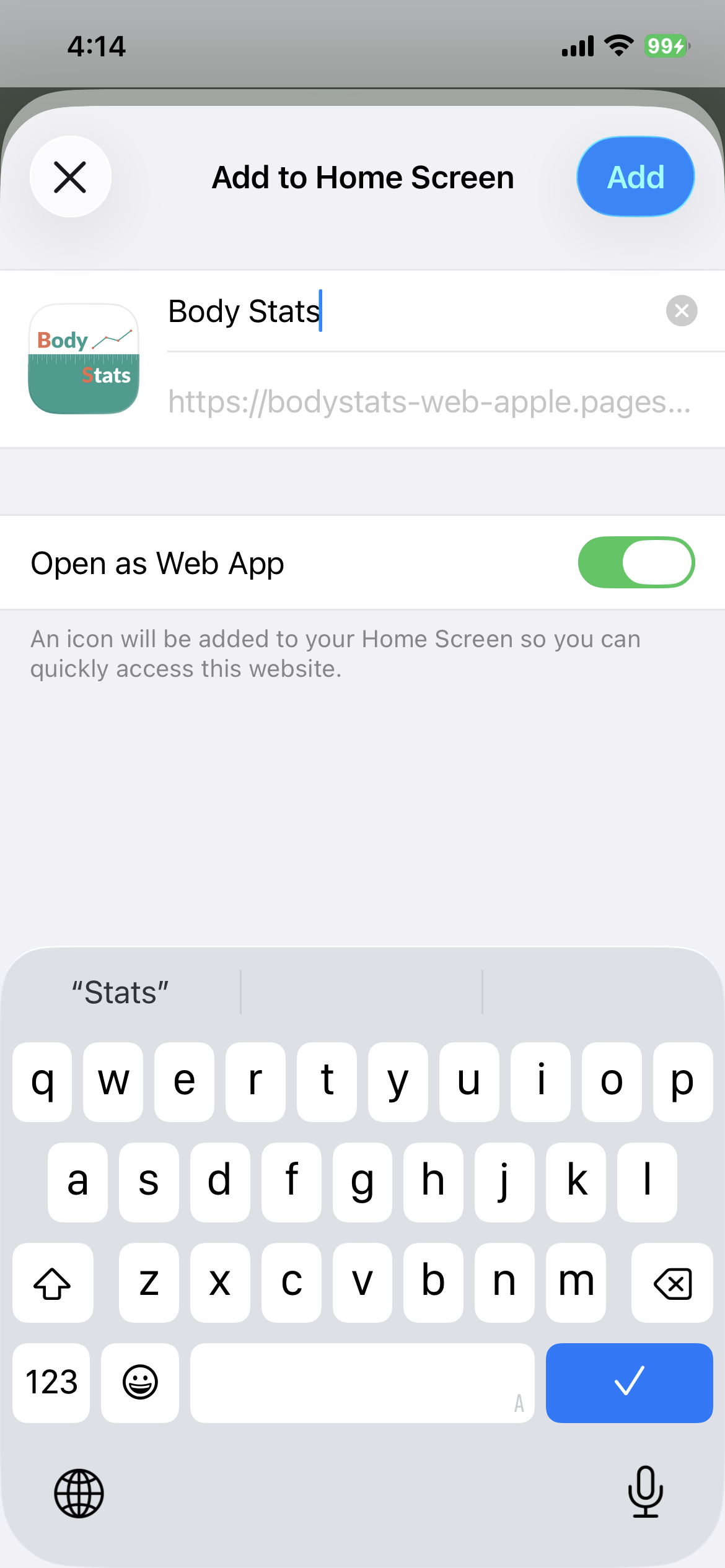
Tap Add
Leave Open as Web App switched on, then tap the blue Add button.
Tap the blue Add button
Finished? Return to your Home Screen and tap the new Body Stats icon.
- 1
Open Body Stats in Chrome
Tap the button on this page. If asked, choose Chrome.
- 2
Open Chrome’s menu
Tap the three dots in the top-right corner.
- 3
Tap Install app
On some phones this is called Add to Home screen. Confirm Install.
- 4
Open the new Body Stats icon
Complete the short welcome steps and record your first measurement.
After installation
Find quick guidance for getting started, using Body Stats, and protecting your data.