Automatic recovery in the iPhone app
After your data changes, the iPhone app keeps up to five rolling recovery copies in its private app storage. If you need one, open Settings and tap Restore Previous Recovery Copy. Body Stats selects the newest valid state that differs from your current data.
These copies stay with the app; they are not ordinary files you can browse. iPhone may include them in a device backup depending on your iCloud Backup settings and restore behavior, but that is not guaranteed. The Web app does not have this native recovery area.
Export a portable backup
- Open Body Stats and go to Settings.
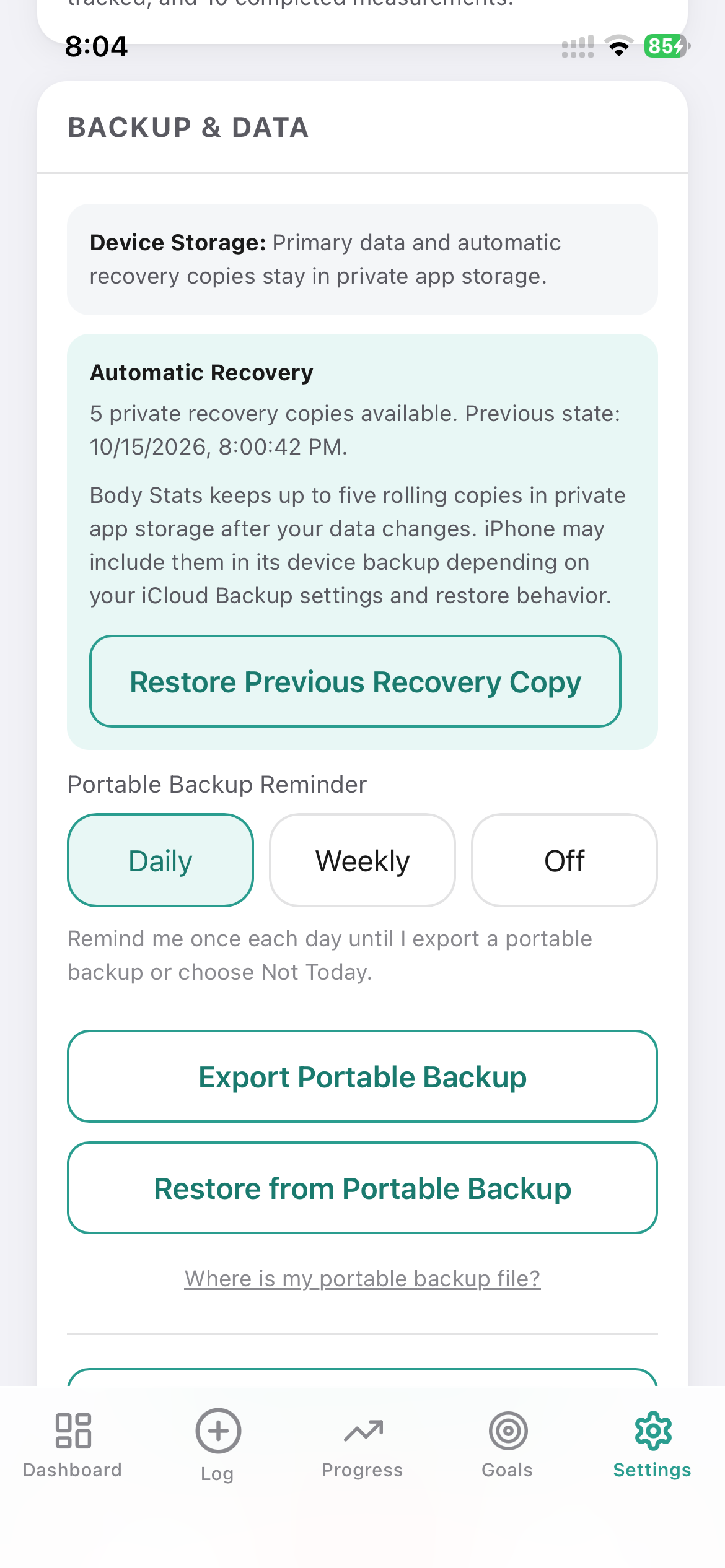
- Tap Export Portable Backup.
- Save the JSON backup in iCloud Drive, Files, Google Drive, Dropbox, or another location you control.
- Check that the file appears in the chosen location before clearing data or changing phones.
A full JSON backup includes measurements, profile and settings, and goals.
iPhone walkthrough
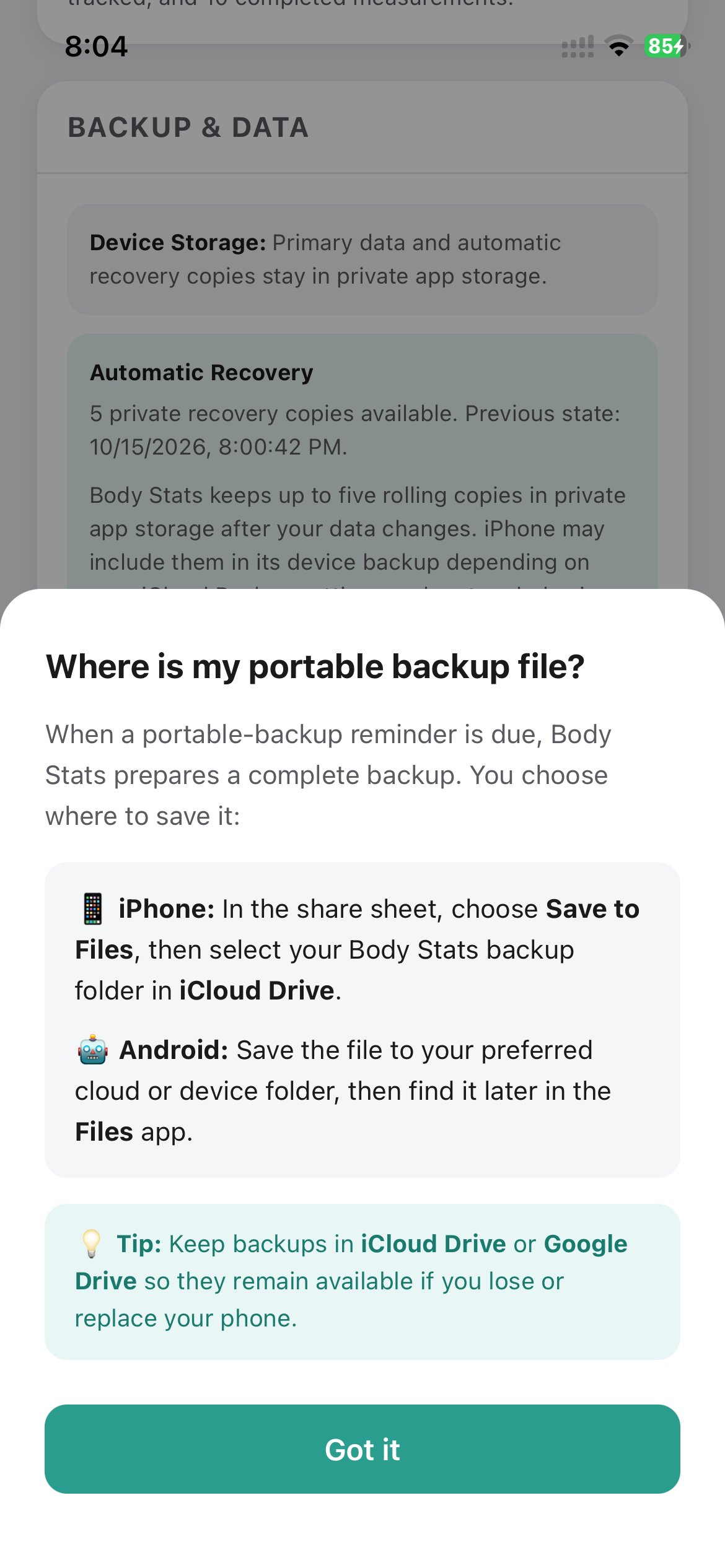
For the easiest recovery later, keep every backup in one folder named Body Stats Backup in iCloud Drive. Body Stats prepares the file; you choose and control where it is saved.
First backup
Create the Body Stats Backup folder before saving the file.
Later backups
iPhone may reopen your last-used folder. Confirm the folder name, then tap Save.
Follow the four screens below.
-
1
Start the portable backup
In Body Stats, open Settings and tap Export Portable Backup.
Tap Export Portable Backup ↓
-
2
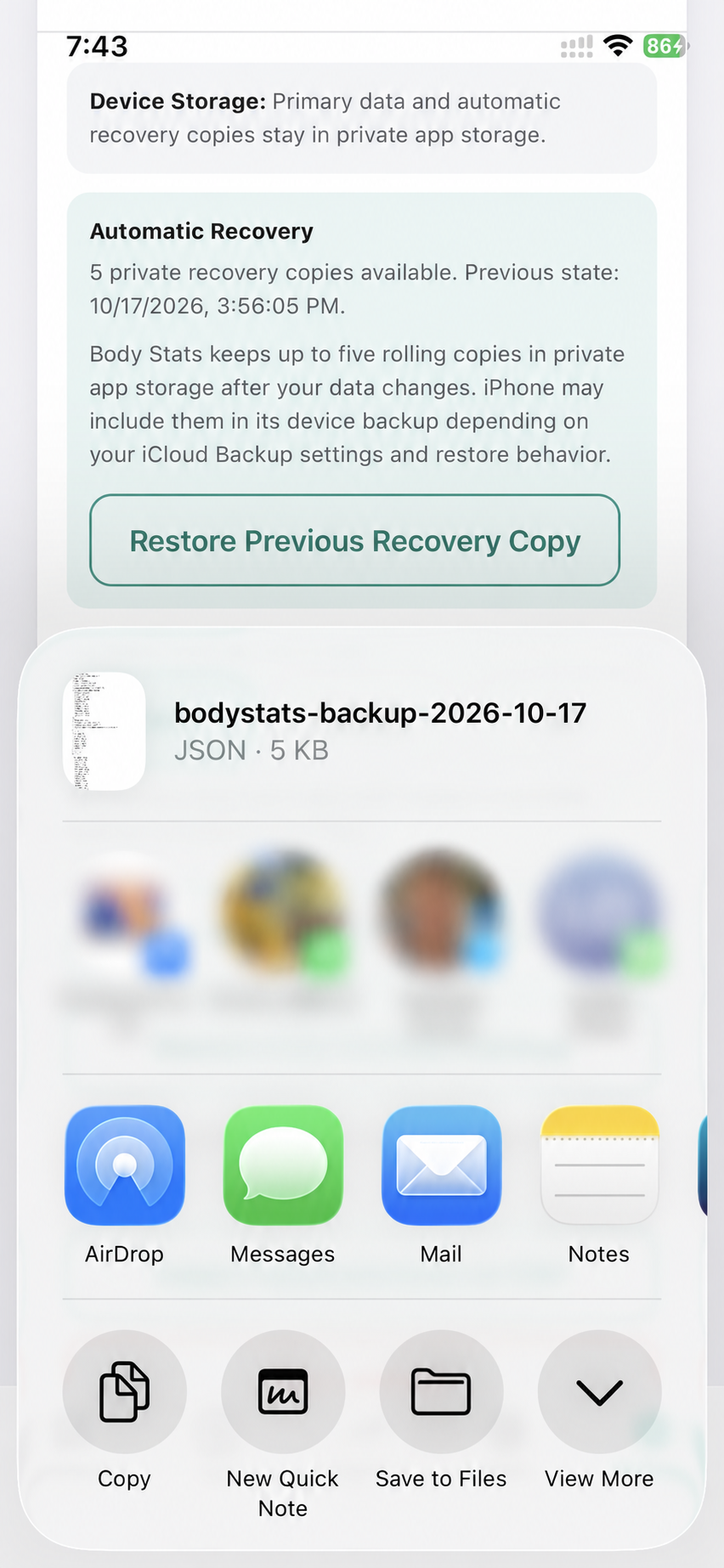
Choose Save to Files
In the iPhone share sheet, tap Save to Files.
Tap Save to Files ↓
-
3
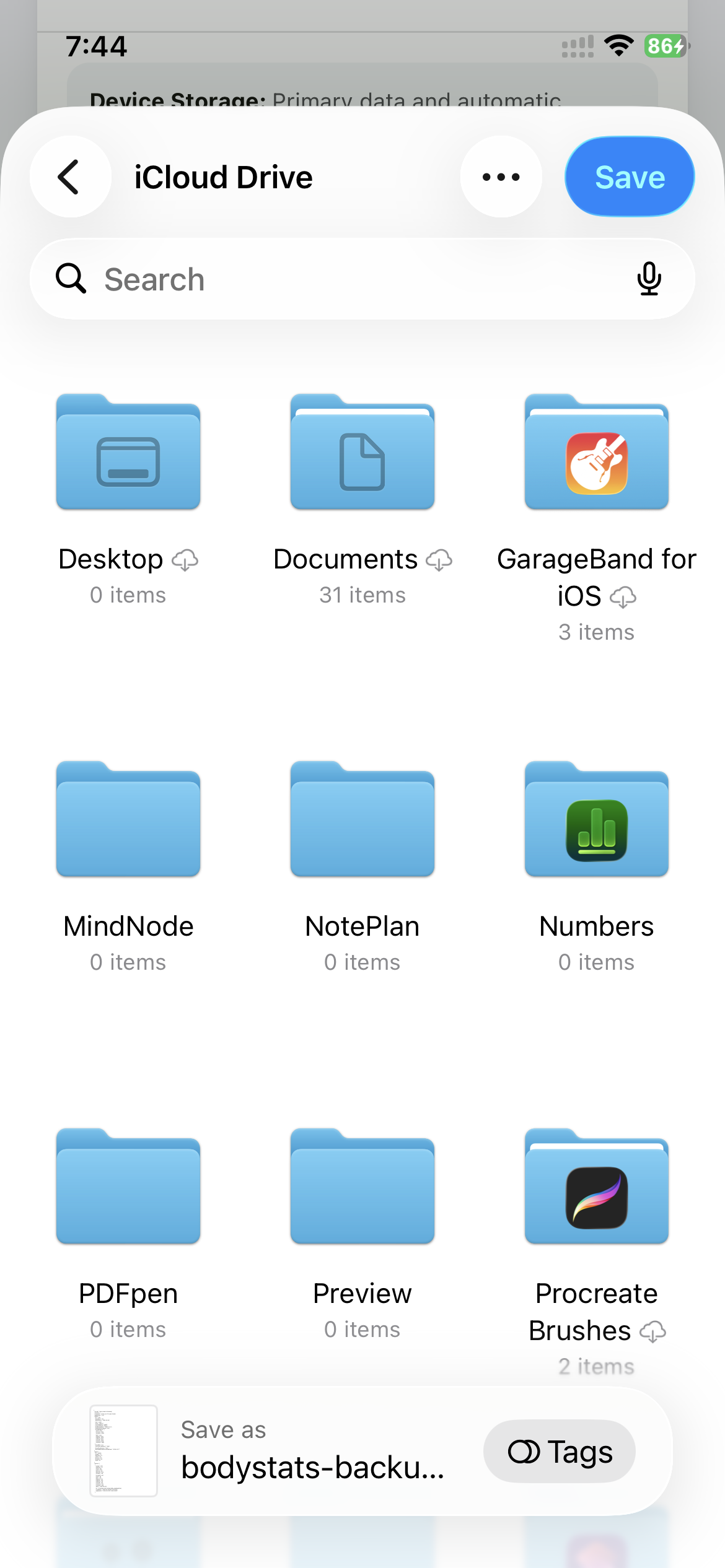
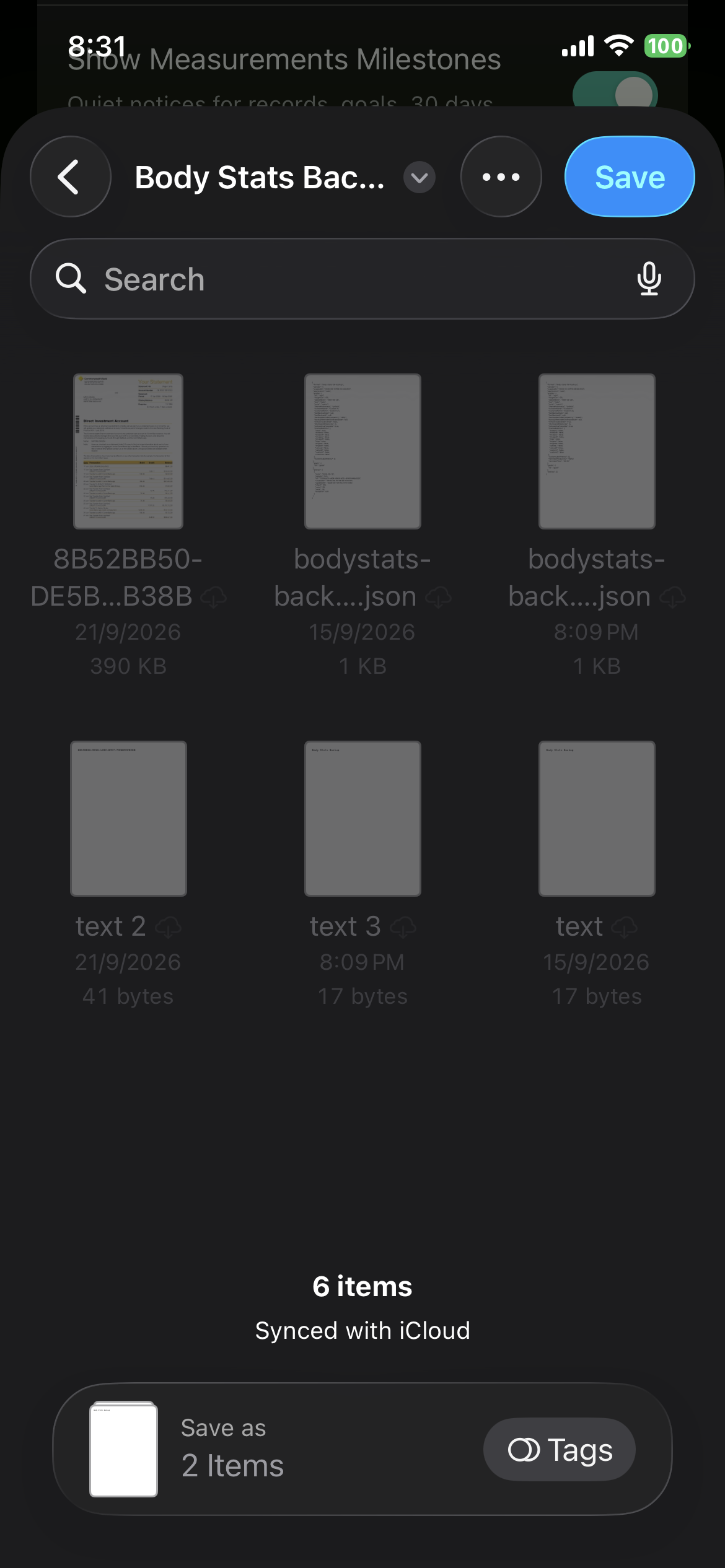
Create or open the folder
Choose iCloud Drive. For your first backup, tap … → New Folder, name it Body Stats Backup, tap Done, then open it. If the folder already exists, just tap it.
First time? Tap … to create the folder ↓
-
4
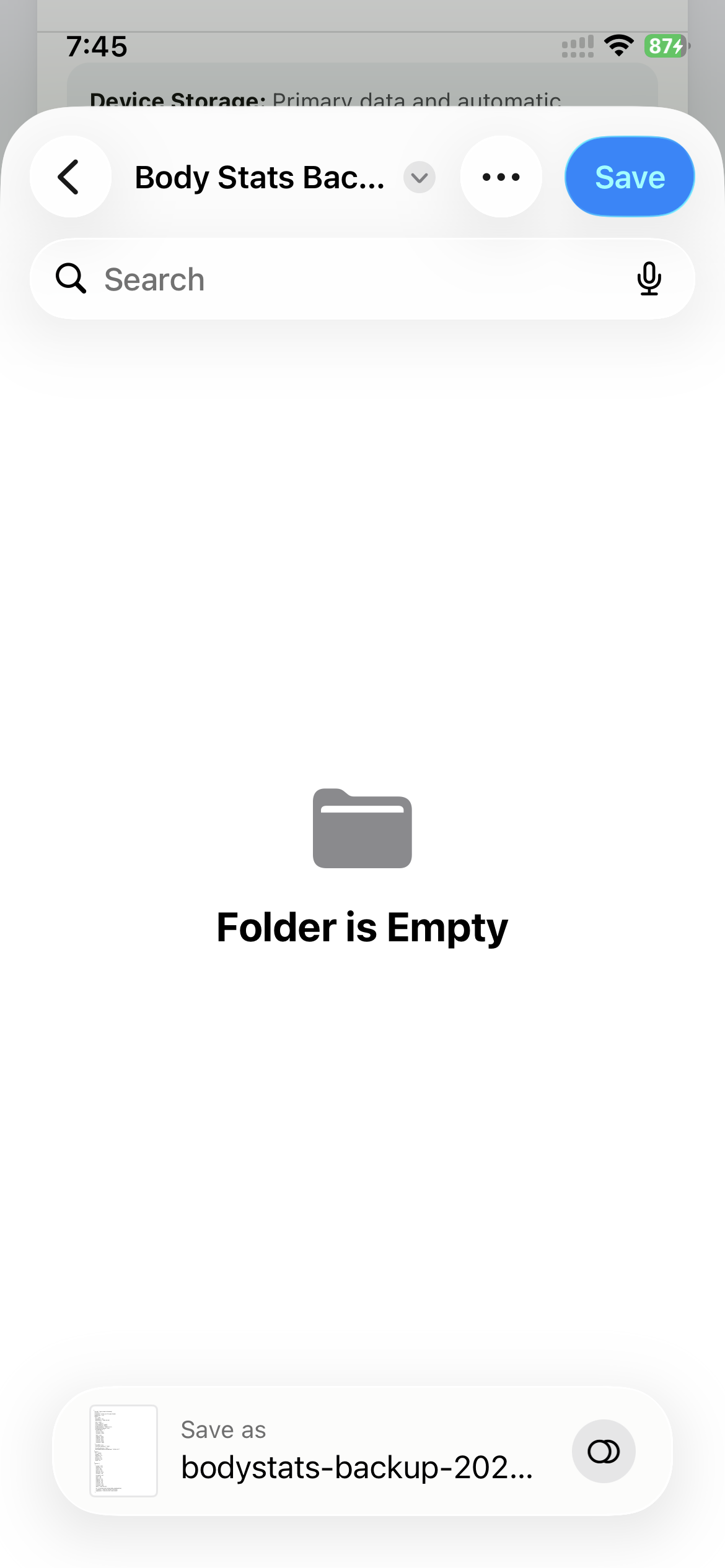
Save the backup
Make sure Body Stats Backup appears at the top, then tap the blue Save button. Keep the automatic filename so the backup date is easy to identify.
Confirm the folder, then tap Save ↓
What happens next time?
iPhone may open the folder you used previously. If Body Stats Backup is already shown at the top, you do not need to create it again—tap Save. If a different location opens, use the back arrow to return to iCloud Drive and select your folder.
Need a reminder later?
In Body Stats Settings, tap Where is my portable backup file? for a quick reminder. This web guide provides the complete first-time walkthrough.
Move to a new phone
- Export a fresh portable backup on the old phone.
- Install Body Stats on the new phone.
- Transfer the backup file to the new phone using a service you trust.
- Open Settings in Body Stats and choose Restore from Portable Backup.
- Select the backup and confirm that Dashboard, Log, Progress, Goals and custom labels look correct.
CSV exports
CSV is useful for opening measurement data in spreadsheet software. Use the full JSON backup—not CSV—when you want to restore the complete app state.
How often should I export a portable backup?
Export one after important measurement sessions and before changing phones, clearing browser data, reinstalling the app, or importing another file.